A laptop shows a Wi-Fi connection, but business applications will not open. Colleagues nearby have no problem. Connecting to a wireless network does not necessarily mean that the device received a usable IP configuration. DHCP is one place to investigate.
DHCP is a protocol that automatically assigns an IP address and other network settings to a device. This article covers IPv4 and safe ways to distinguish address assignment problems from DNS or connectivity issues. It is not a guide to renumbering an entire network.
 what is DHCP
What the device leases
A DHCP server manages an address pool and assigns addresses to clients for a period called a lease. Along with the address, it can supply the subnet mask, default gateway and DNS server addresses. Microsoft also describes reservations, which let a particular DHCP client consistently receive the same address.
A server reservation is not the same as an address entered manually into a printer. With a reservation, the client still uses DHCP. A manual setting must match the addressing plan and avoid simultaneous allocation. A business therefore benefits from a device inventory, not just a list of numbers in a router.
Four messages for initial assignment
The simplified initial exchange in RFC 2131 consists of DHCPDISCOVER, DHCPOFFER, DHCPREQUEST and DHCPACK: the client seeks configuration, the server offers an address, the client requests the selected offer and the server acknowledges assignment. This explains the basic exchange, not every possible protocol state.
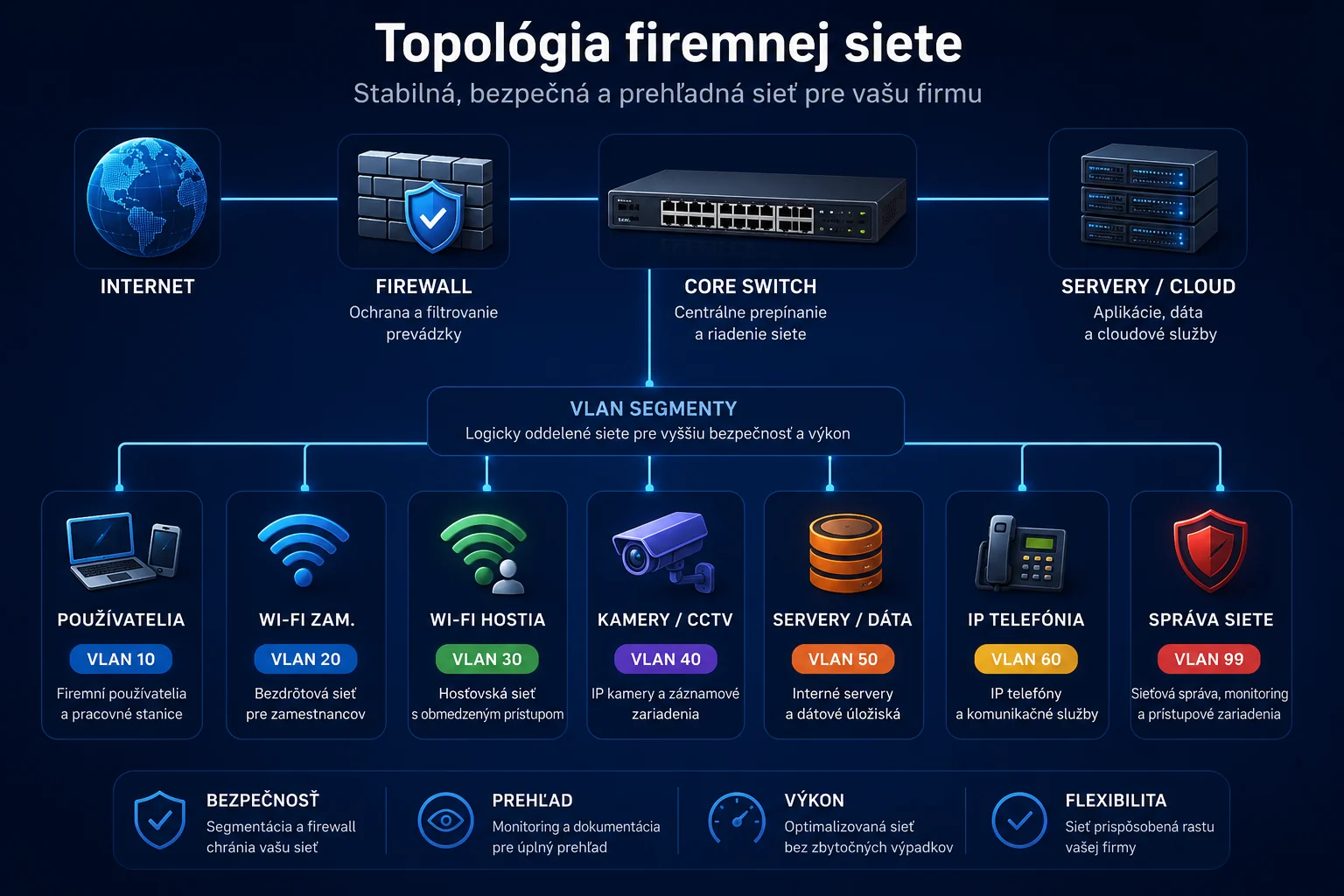
Renewing an existing lease does not necessarily repeat the entire sequence. If the server is in another subnet, a properly designed network can use a DHCP relay to forward communication. A fault can therefore affect only one group of devices even while the server is running.
For troubleshooting, ask where the exchange stopped. An unavailable service, an exhausted pool and connection to the wrong network require different remedies. Expanding a pool automatically without checking the addressing plan is not a suitable first step.
A model: why only 100 leases fit
Imagine a laboratory business network, 192.168.50.0/24. The administrator allocates the DHCP range 192.168.50.100 to 192.168.50.199. It contains 100 addresses: 199 − 100 + 1. This is not the capacity of the whole subnet, but the number in the specified pool before any further restrictions.
If all 100 are occupied by valid leases, a new client needs an address to become available or a carefully planned configuration change. Fewer people currently being in the office does not prove that leases are available. The administrator should examine server state, lease durations and actual devices rather than estimate availability by counting chairs.
These example addresses do not change your network and should not be copied into it automatically. Neither the gateway nor the DNS server follows from the /24 prefix alone; both must match the actual configuration.
Read first, intervene second
On Windows, open a command prompt and display the configuration:
ipconfig /allThis command, without renewal switches, only displays configuration. Locate the adapter being used; a laptop may have Wi-Fi, Ethernet and virtual adapters at the same time. For the active interface, note the IPv4 address, mask, gateway, DHCP server, DNS servers and lease information where shown.
- Determine whether the problem affects one computer or a whole group on the same network.
- Compare settings with a working device in the same segment, not a random computer at another branch.
- Where DHCP is expected, check the server pool, leases and path to the server.
- If configuration matches the plan, continue investigating DNS, the gateway and the specific application.
The output can contain internal names and addresses. Send it to the administrator through a secure channel rather than posting it in full on a public forum. Record the time and symptoms before making changes so that you can compare the actual outcome after a repair.
A 169.254 address is not a final diagnosis
The 169.254.0.0/16 range is for IPv4 link-local addresses used on a single link, as explained in RFC 3927. On a device normally expected to receive a corporate address through DHCP, such an address is reason to investigate configuration assignment. It does not by itself prove a DHCP server outage.
Likewise, a valid address does not prove DNS or internet access works. A failed ping alone does not determine application availability either. Troubleshooting should narrow the cause step by step rather than change settings based on the first visible symptom.
What to hand to the network administrator
Prepare the time of the problem, connection used, scope of affected devices and a configuration comparison. Releasing an address can interrupt a remote session, so do not run that command as a universal fix without a connectivity recovery plan.
Through business network management, Yenwa can examine address pools, reservations, relay and capacity monitoring. A good first step is establishing who assigns addresses in each segment and whether documentation matches reality.
Sources and further information
- What is DHCP Server in Windows Server? — Microsoft
- RFC 2131: Dynamic Host Configuration Protocol — IETF / RFC Editor
- ipconfig — Microsoft
- RFC 3927: Dynamic Configuration of IPv4 Link-Local Addresses — IETF / RFC Editor