What has changed in Intune Remote Help
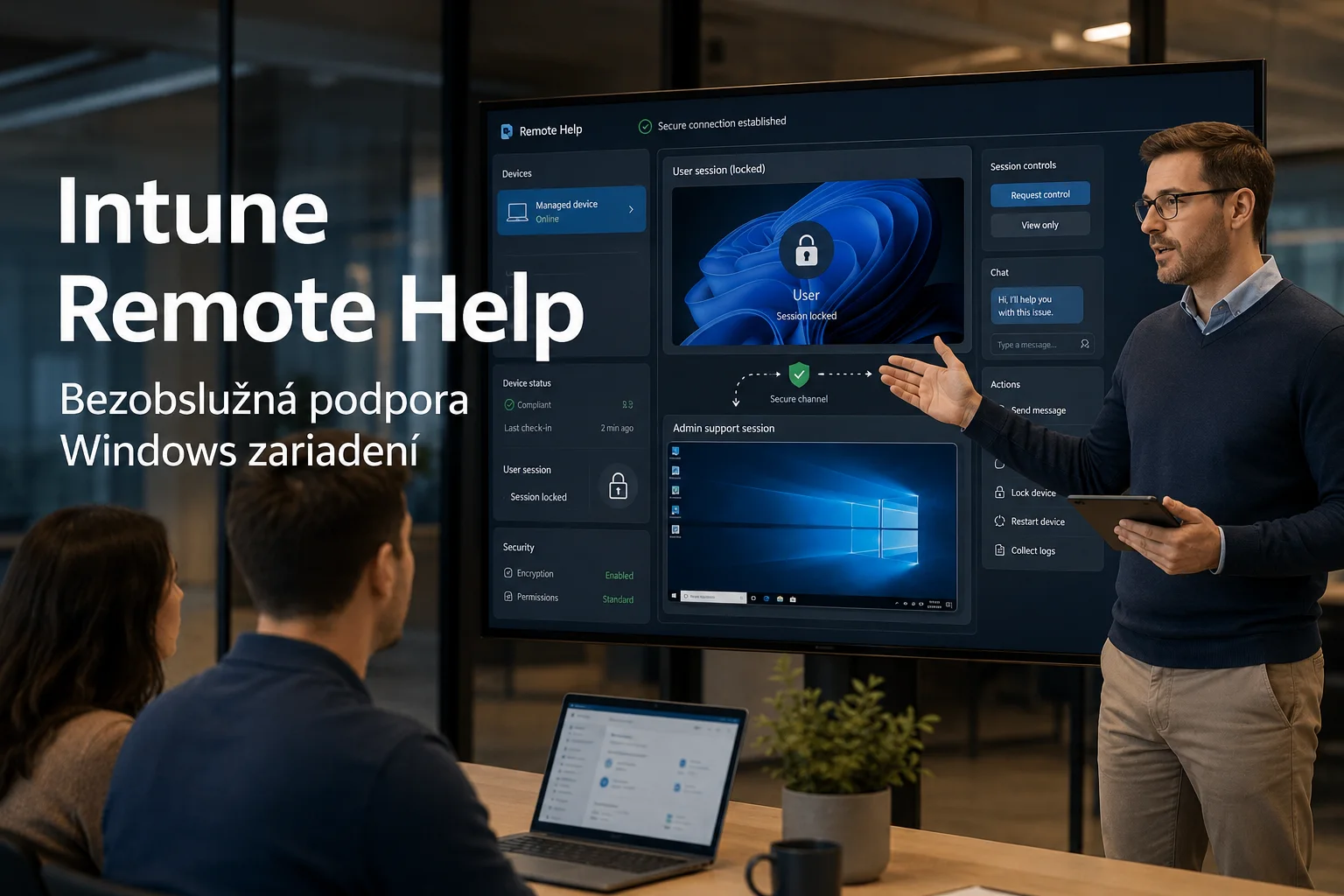
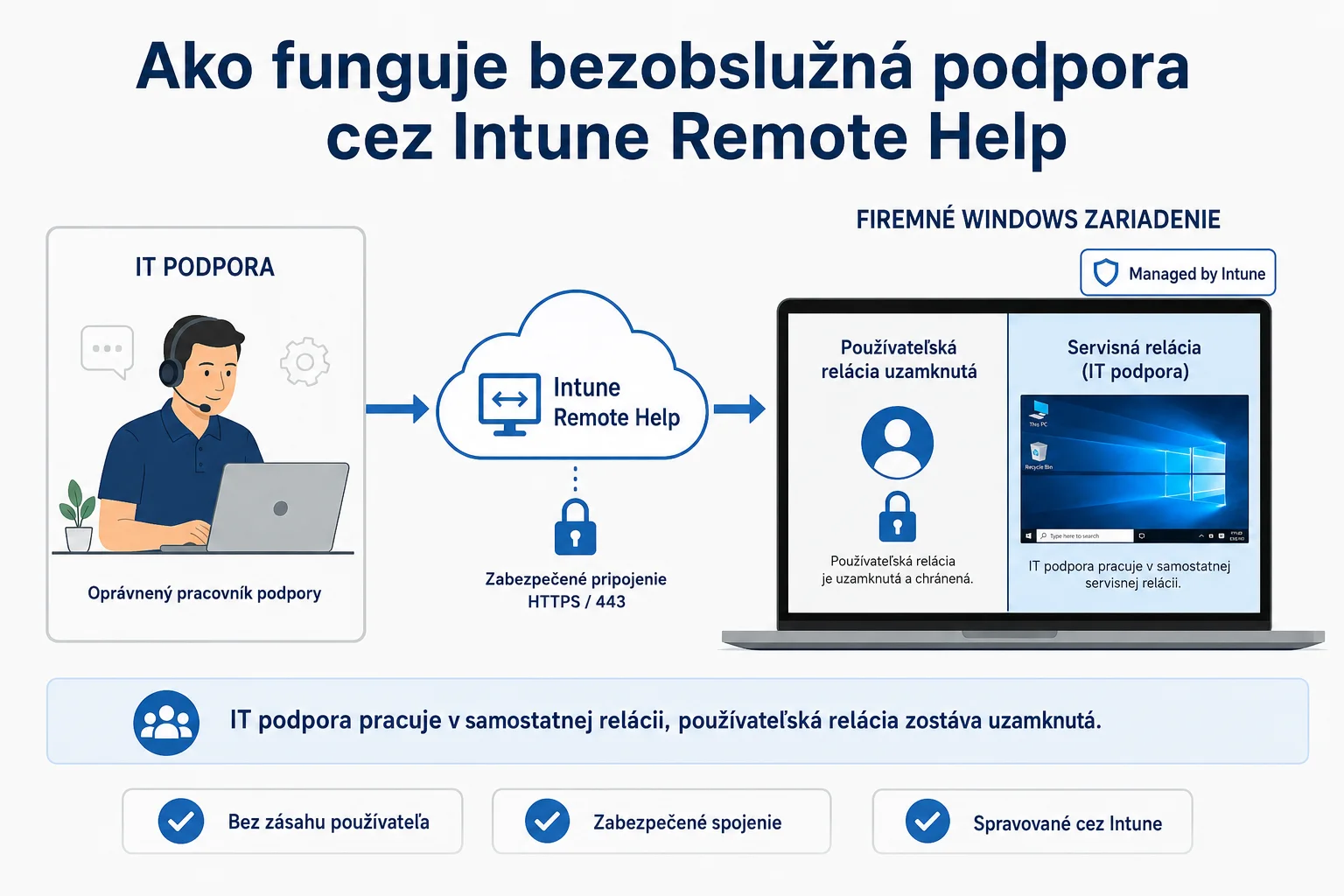
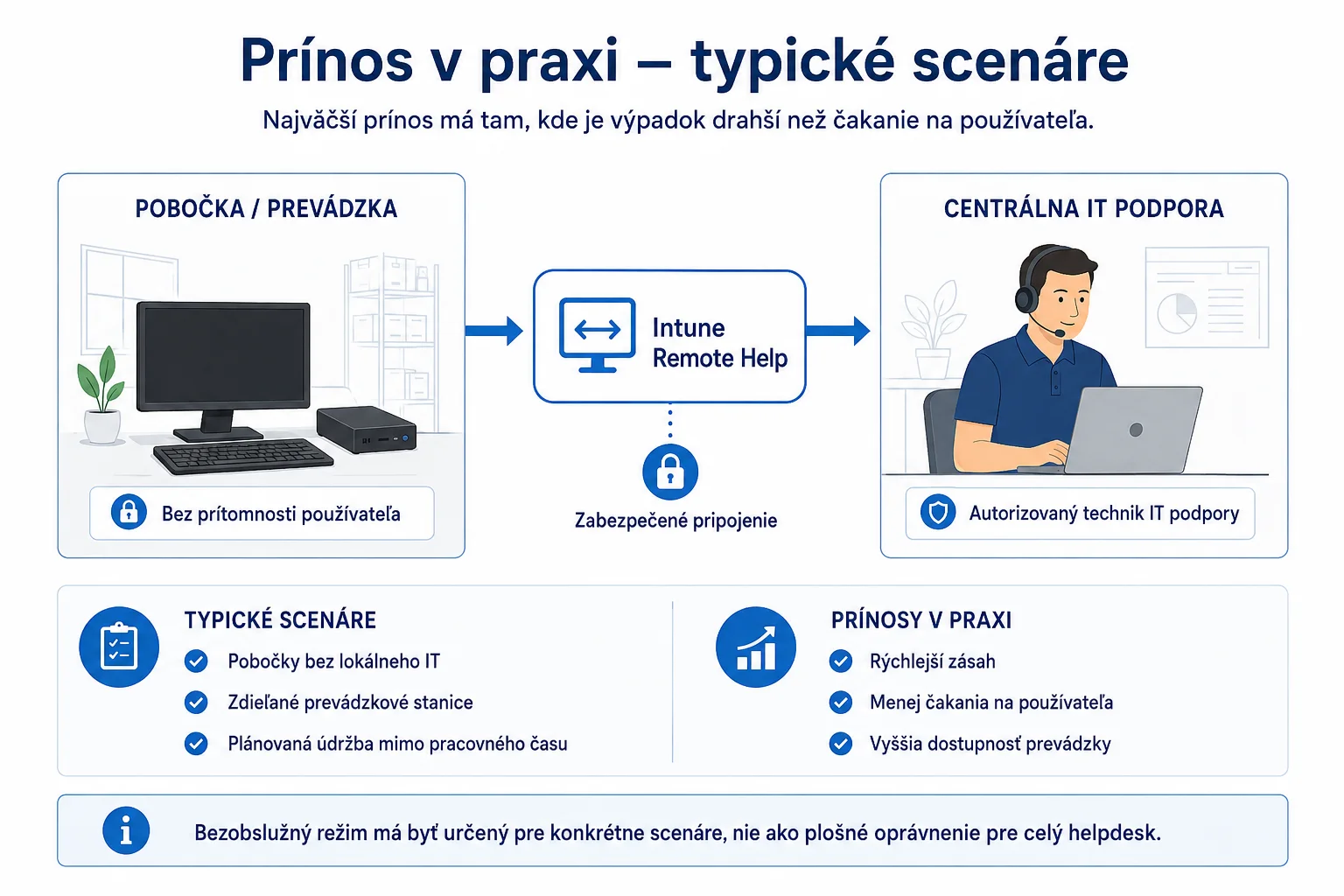
On 25 August 2026, Microsoft announced unattended support for physical Windows devices with remote sign-in. An authorised support professional can connect without the user being present and work in a separate session while the existing user session remains locked. For servicing a branch office, a shared computer or a device that needs repair outside working hours, this can shorten the wait for intervention.
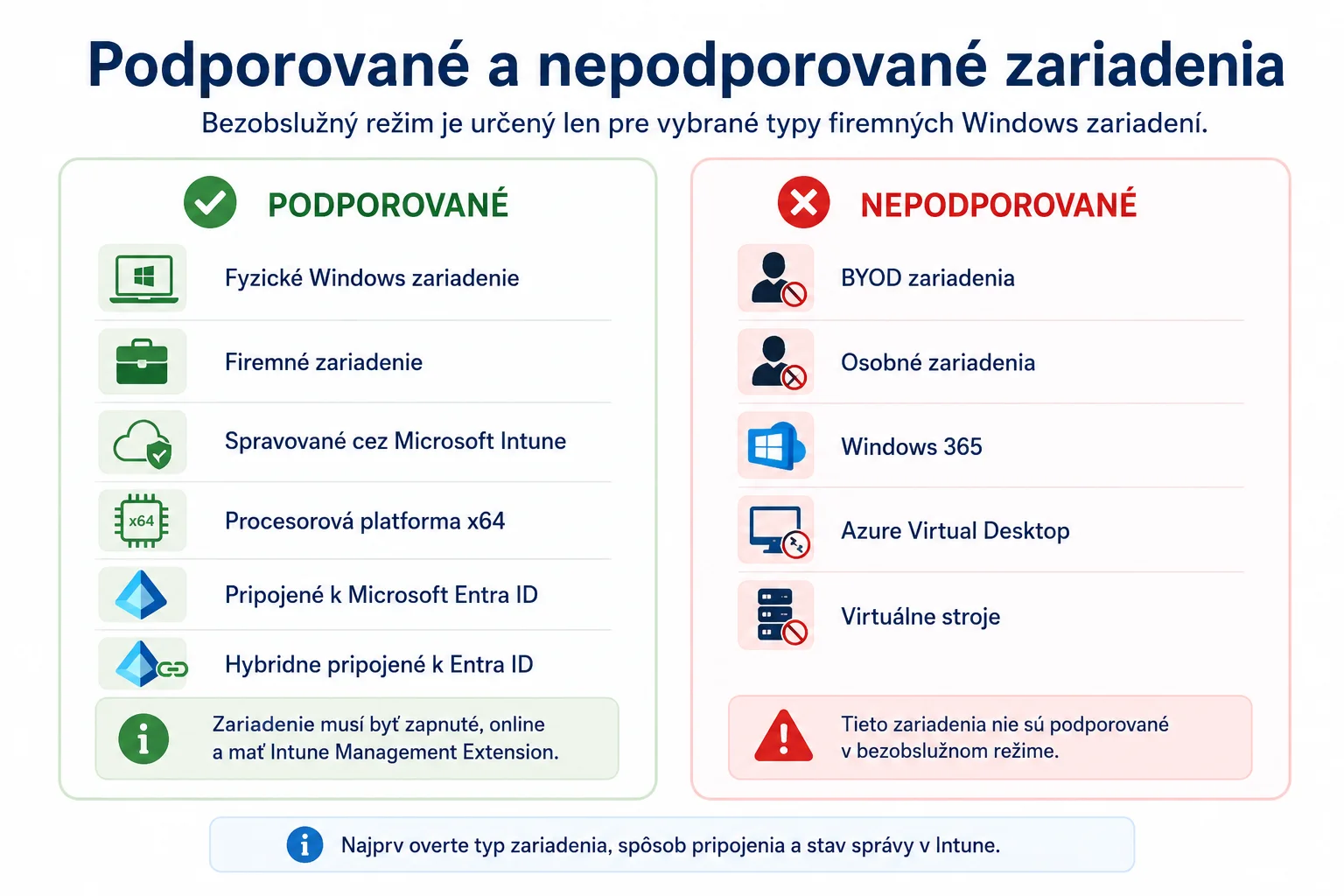
However, this is not universal remote control for every computer. According to Microsoft's planning documentation, unattended mode is intended for physical, corporate, Intune-managed Windows devices on the x64 processor platform that are joined to Microsoft Entra ID or hybrid joined. Virtual machines, Windows 365, Azure Virtual Desktop, personal devices and BYOD are not supported in this mode.
When the feature delivers real value to a company
Unattended access makes the most sense where downtime costs more than waiting for the user and where the company can define exactly who is allowed to perform the intervention. Typical examples include computers at branches without local IT staff, shared operational workstations or scheduled maintenance outside working hours.
If support staff mainly handle routine user questions during the working day, an attended session with user consent remains the safer default. Unattended mode should be a separate capability for specific scenarios, not a blanket permission for the entire helpdesk.
Why simply enabling the feature is not enough
The ability to access a corporate device without the user's active participation is privileged access. Microsoft therefore uses a dedicated Windows unattended control remote sign-in permission for Windows. This permission is not included in the built-in Help Desk Operator role and must be assigned through a custom Intune role.
The practical consequence is straightforward: the company must define the support staff, device groups and sign-in conditions in advance. If the permission is granted too broadly, more convenient support increases the potential impact of a compromised support account.

Checklist before the pilot
- Define the specific problem. List the devices and situations in which support currently has to wait for the user. If you cannot identify a measurable benefit, do not enable unattended mode yet.
- Verify licences and availability in the tenant. Remote Help requires the relevant entitlement for support staff and for the users whose devices use the service. A visible option in the portal does not by itself confirm correct licence coverage.
- Check the target devices. The pilot group should contain only physical corporate x64 devices managed through Intune and joined to Entra ID or hybrid joined. The device must be switched on, online and have the Intune Management Extension.
- Prepare the technical dependencies. Microsoft requires the Azure Virtual Desktop agent, followed by the AVD agent bootloader, and the Remote Desktop service to be enabled. Also check network endpoints and HTTPS communication on port 443. The exact procedure is described in the official Remote Help deployment guide.
- Create a separate role. Assign the unattended sign-in permission only to selected second- or third-level support professionals and limit it to the device groups that genuinely need this service.
- Protect support accounts. Require multi-factor authentication for helpers and, where possible, a managed and compliant device through Conditional Access. A standard user account must not receive support operator permissions.
- Set up monitoring and access removal. Monitor Intune audit logs and Entra ID sign-in logs, especially unusual times and unknown helpers. Remove the role without delay when a staff member changes position or leaves the company.
- Document privacy and support intervention rules. Users should know when support may work without their participation and which actions are permitted. Microsoft states that session metadata, such as time and participants, is retained on its servers for 30 days and that sessions are also written to local Windows event logs; the service does not record the session itself.
- Start with a small pilot. Test connectivity, notifications, logging, permission removal and behaviour after agent updates. Only the result of the pilot should determine whether to roll the feature out more widely.

A decision for company management
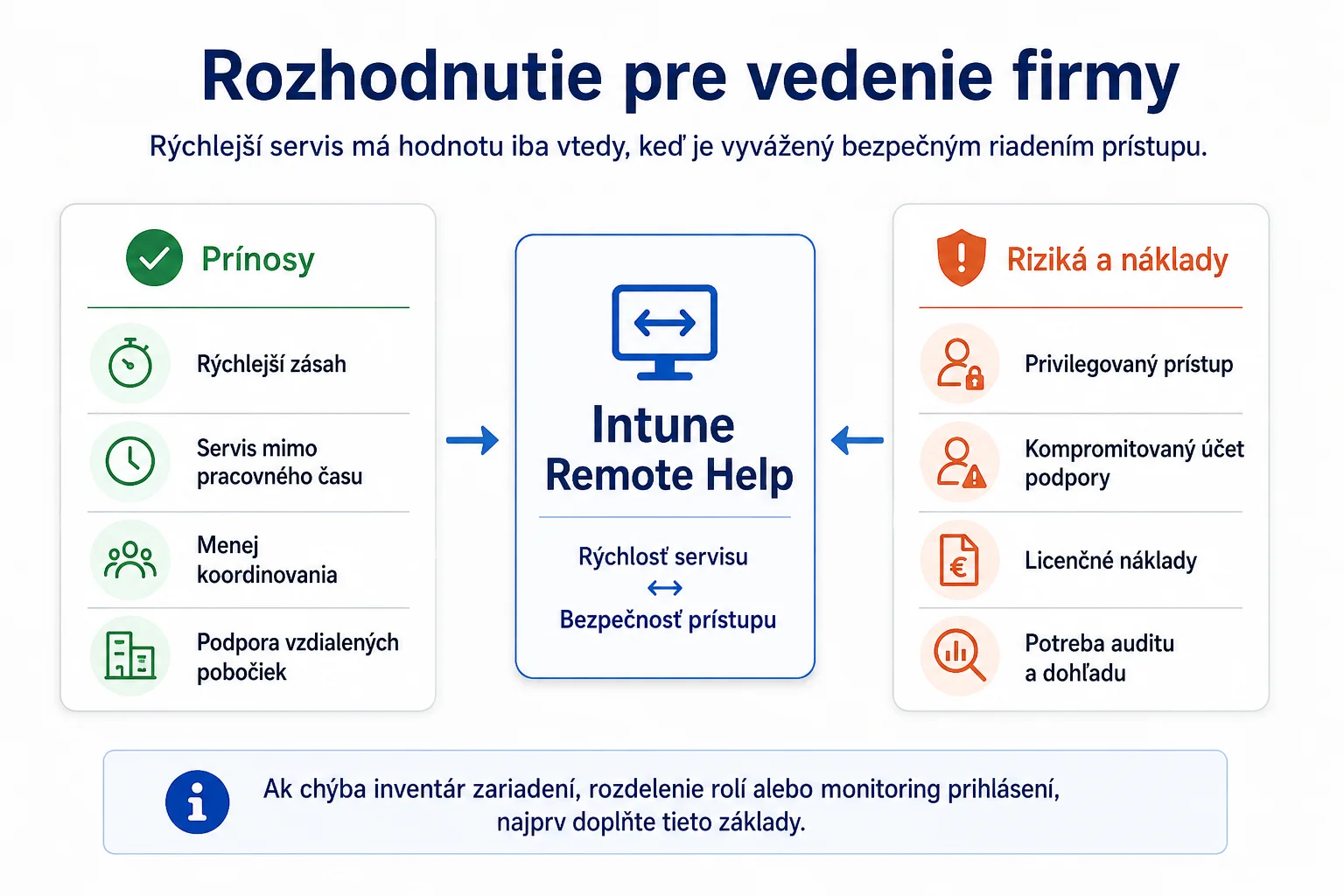
Unattended support can reduce downtime and eliminate unnecessary scheduling, especially at remote branches. However, it creates value only when the company also establishes a narrow scope of permissions, strong authentication for support staff, auditing and clear rules for users.
If you do not have an up-to-date device inventory, separated helpdesk roles or effective sign-in monitoring, put these foundations in place first. Only then does it make sense to compare faster support with licence and operating costs. Yenwa's IT outsourcing, combined with a cybersecurity review, can help you design a secure pilot.
Sources and further information
- Remote Help on Windows: Unattended Support with Remote Sign-In Is Here — Microsoft Intune Customer Success
- Planning for Remote Help with Microsoft Intune — Microsoft Learn
- Deploying Remote Help with Microsoft Intune — Microsoft Learn