Cloud services

Cloud services for companies: Microsoft 365, Azure and secure hybrid cloud

We help companies configure Microsoft 365, Azure and hybrid cloud so they have clear accounts, secure access, reliable e-mail, protected data and controlled cloud costs. We handle migration, administration, security and long-term optimisation of the cloud environment.

  • migration of e-mail, data and accounts to Microsoft 365
  • Azure and hybrid infrastructure administration
  • MFA, access, backups and security rules
  • optimisation of licences and cloud costs

Quick answer

What are cloud services for companies?

Cloud services for companies mean managed use of Microsoft 365, Azure, e-mail, data storage, user accounts, security rules, backups and hybrid connectivity with local infrastructure. The goal is not only to move data to the cloud, but to create a secure, clear and long-term manageable environment for everyday work. A well-configured cloud defines who has access to data, how users sign in, where documents are stored, how sharing is controlled and what happens when files are deleted, an outage occurs or an account is compromised. The company gains clearer rules, better collaboration, controlled costs and an environment that can keep developing without unnecessary chaos.

M365 administration of accounts, e-mail and Teams
Azure infrastructure and hybrid cloud
MFA secure identities and access
Backup backups and data recovery

When to solve it

Cloud should make work easier for the company, not add another layer of chaos.

Cloud services should bring clarity, security and easier collaboration. But if licences, accounts, permissions, sharing, backups or security rules are not configured correctly, the cloud can become another source of risk and unnecessary cost.

  • Microsoft 365 licences are unclear or unnecessarily expensive
  • users do not have clear permissions to data
  • MFA or sign-in security rules are missing
  • it is not clear who has administrator privileges
  • SharePoint and Teams grew without structure
  • employees share documents outside controlled rules
  • licences are paid for but not actually used
  • there is no recovery plan for deleted data or a compromised account

What we provide

Cloud solutions from Microsoft 365 to Azure, backups and security

Most often we solve: Microsoft 365 Azure infrastructure Data and e-mail migration Identities, MFA and access Cloud backup
Microsoft 365 Administration of users, e-mail, Teams, SharePoint, OneDrive and security settings for everyday work.
  • Exchange Online
  • Teams and SharePoint
  • licence administration
Azure infrastructure Design and administration of virtual servers, network services, storage and hybrid connectivity with the company.
  • virtual servers
  • Azure networks
  • hybrid cloud
Data and e-mail migration Migration planning, user preparation, data transfer and post-migration checks without unnecessary downtime.
  • mailboxes
  • files
  • users
Identities, MFA and access Secure sign-in, multi-factor authentication, groups, permissions and rules for sensitive data.
  • MFA
  • Conditional Access
  • groups and roles
Cloud backup Backups of Microsoft 365, servers and important data with regular recoverability checks.
  • M365 backup
  • data recovery
  • DR plan
Hybrid connectivity Connecting the local network, servers, branches and cloud through secure network rules and VPN.
  • VPN
  • local servers
  • branches
E-mail security Configuration of antispam, SPF, DKIM, DMARC, phishing protection and rules for company communication.
  • anti-phishing
  • SPF/DKIM/DMARC
  • domain protection
Costs and reporting Regular review of service usage, recommendations for licence optimisation and overview of operating costs.
  • licences
  • service usage
  • reporting

Not sure what exactly you need?

Send us a short description of your environment - whether you use Microsoft 365, a local server, an old mail server, Azure or a combination of several solutions. We will recommend whether analysis, migration, security configuration or monthly administration makes sense.

I want a recommended next step

Cooperation models

How cloud cooperation can work

Depending on the situation, we can prepare a one-off migration, take over monthly Microsoft 365 and Azure administration or support the internal IT team with more complex cloud topics.

One-off cloud migration

Suitable when moving from a local mail server, old storage or unclear tenant environment to Microsoft 365 or Azure.

Monthly Microsoft 365 and Azure administration

Suitable for companies that want regular administration of accounts, licences, security, backups, reporting and user support.

Support for the internal IT team

Suitable for companies with their own IT team that need expert help with Azure, identities, migration, backups or security.

Operations and context

How cloud services fit into business operations

Multiple teams and branches

Cloud for companies with multiple teams, branches and hybrid environments

Across multiple locations, cloud helps unify accounts, e-mail, access and collaboration. It is important to set rules so data is available to the right people and protected at the same time.

  • central administration of users and groups
  • secure access to documents and applications
  • SharePoint and Teams aligned with the company structure
  • connection of local servers and Azure
  • licence overview across teams

Cloud security

Cloud environment security as a foundation for company work

Microsoft 365 and Azure are not automatically secure just because they are in the cloud. We address identities, MFA, access, backups, e-mail protection and rules for sensitive data.

  • MFA for users and administrators
  • conditional access based on risk
  • e-mail protection against phishing
  • Microsoft 365 data backup
  • document sharing review
  • administrator account audit

Solution design

How the cloud services solution fits into business operations

The important parts of the solution should be designed so it is clear what is solved first, what follows from it and where the company should gain better visibility.

Microsoft 365 Azure infrastructure Data and e-mail migration Identities, MFA and access Cloud backup
  • overview of the tenant environment and licences
  • MFA and administrator account review
  • recommendations for e-mail security
Cloud solution with Microsoft 365, Azure, data, security and monitoring in one company environment

Analysis output

What you receive after the initial cloud analysis

The analysis helps determine whether the cloud is configured securely, how much it costs, where the risks are and which steps will bring the company the greatest benefit.

  • overview of the tenant environment and licences
  • MFA and administrator account review
  • recommendations for e-mail security
  • backup and recovery proposal
  • list of risky shares and access
  • migration or stabilisation plan
  • recommendation for the next administration model

First 30 days

What the company should see after the first 30 days

After the first month, it should be clear which risks are priorities, which settings need adjustment and what further migration or administration model makes sense for the company.

  • adjusted or recommended MFA rules
  • overview of accounts and administrators
  • basic review of licences and possible savings
  • proposal for secure sharing in SharePoint and Teams
  • recommendation for Microsoft 365 backup
  • overview of priority risks
  • plan for further migration or administration

Comparison

Cloud without administration vs. cloud under control

Cloud without administration

  • unclear accounts
  • unused licences
  • weak MFA
  • risky sharing
  • unverified backups
  • rising costs

Cloud under control

  • clear roles
  • secure sign-in
  • licence overview
  • controlled sharing
  • recovery plan
  • long-term administration and support

Responsible approach

What we avoid in cloud work

We do not migrate data without preparing users and checking risks

We do not design Azure without calculating operating costs

We do not leave administrator accounts unchecked

We do not consider Microsoft 365 secure just because it is in the cloud

We do not handle only migration, but also administration, backups, permissions and long-term operation

Who the service is for

Cloud for companies that need secure collaboration and available data

We most often help organisations that want to unify e-mail, documents, user accounts and access to company systems.

companies using Microsoft 365 branch-based companies accounting and consulting offices schools and clinics companies after cloud migration organisations with hybrid IT remote teams

Clearer cloud,
safer accounts,
lower operational risk

A properly configured cloud reduces licensing chaos, improves access security and gives the company a better overview of data, costs and backups.

Less unused licences and unnecessary costs
More control over accounts, groups and data
Safer sign-in, e-mail and document sharing
Faster deployment of changes in Microsoft 365 and Azure

How we work together

From analysis to cloud administration

  1. Environment analysis

    We check the tenant, licences, users, e-mail, sharing, MFA, backups and costs.

  2. Migration design and plan

    We prepare steps according to risk, user impact and expected benefit.

  3. Deployment and migration

    We implement changes so they have as little impact as possible on user work.

  4. Administration and optimisation

    We continuously handle support, security, reporting, licences and development of the cloud environment.

Technology and trust

We build cloud on Microsoft 365, Azure and proven security practices

Moving to the cloud is only one part. Correct configuration of identities, access, backups and operating rules is just as important.

View references
  • Microsoft 365 and Azure administration for companies across Slovakia
  • migrations and changes planned with user operations in mind
  • security settings for accounts, e-mail, documents and administration
  • licence reporting, recommendations and long-term support

IT support across Slovakia

Cloud services riešime vzdialene aj výjazdom podľa potreby

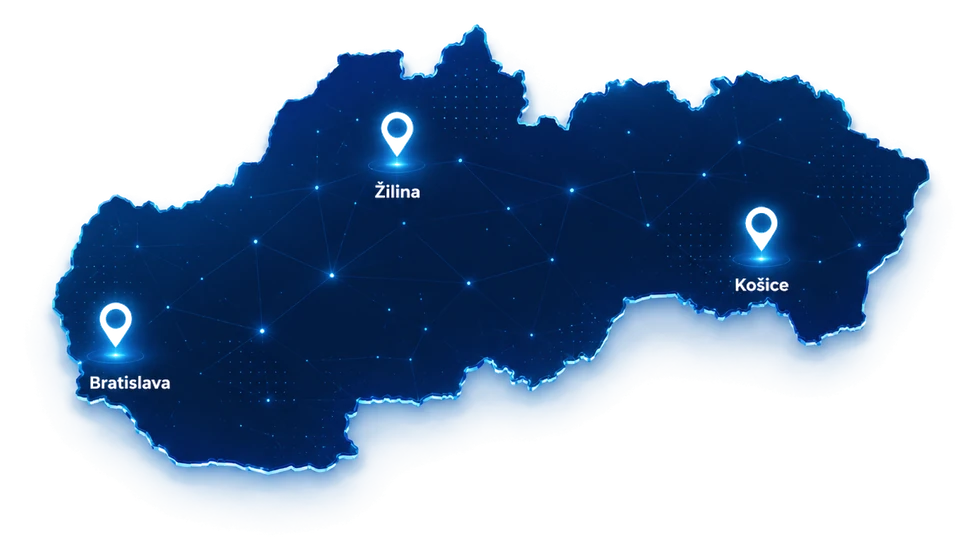
Map of Slovakia with support points highlighted in Bratislava, Žilina and Košice

Most consultations, cloud service administration, monitoring and support can be handled remotely. For site visits, service, installation, cabling, cameras or infrastructure work, we arrange an on-site technician according to location, scope and priority.

Related IT services

What we most often connect cloud services with

We often connect this service with cybersecurity .

We often connect this service with network administration .

We often connect this service with IT outsourcing .

We often connect this service with custom application development .

See also references or send us a short description of the situation via contact .

Frequently asked questions

What companies ask before cloud migration or administration

Here you will find answers to questions companies most often ask before choosing a service or starting cooperation.

View all FAQ

It depends on the scope of the environment. Smaller migrations take days, while more complex projects typically take several weeks.

The cloud can be very secure when identities, permissions, MFA, backups, monitoring and sharing rules are configured correctly. Without these measures, even a cloud environment can create risk.

We calculate costs based on real usage and optimise them regularly.

Yes, we can connect local servers, Microsoft 365, Azure and the backup environment.

We provide monitoring, administration, support and continuous optimisation.

Microsoft 365 mainly covers e-mail, Teams, SharePoint, OneDrive, user accounts and collaboration. Azure is a cloud platform for servers, applications, networks, storage and hybrid connectivity with local infrastructure.

Yes, in most business environments we recommend separate Microsoft 365 backup. It helps with accidentally deleted data, compromised accounts, synchronisation errors or the need to restore an older document version.

Hybrid cloud means connecting local infrastructure, such as servers or the company network, with cloud services like Microsoft 365 or Azure. Secure access, VPN, identities, backups and operating rules must be configured correctly.

Yes. We review licence usage, user assignments, duplicates, unnecessary services and savings options without removing functions or security features the company needs.

Yes. We start by checking access, administrator accounts, licences, security rules, backups and documentation. We then prepare a stabilisation plan and the next administration model.

Do you want Microsoft 365 and Azure under control?

Let us start with a short consultation. We will look at accounts, licences, security, e-mail and backups, then propose the first steps.