It is not a battle between two worlds
The question of cloud or on-premise is often reduced to the price of a server or the amount of a monthly subscription. In practice, something else matters more: what data the company processes, how quickly it needs to grow, who will maintain the environment and what should happen during an outage.
Cloud means that part of the infrastructure, applications or data runs with a service provider. On-premise means that servers, storage and systems are in your own premises or in a data environment you manage yourself. Many companies ultimately end up with a hybrid model: some things stay local and some move to the cloud.
What an on-premise solution is
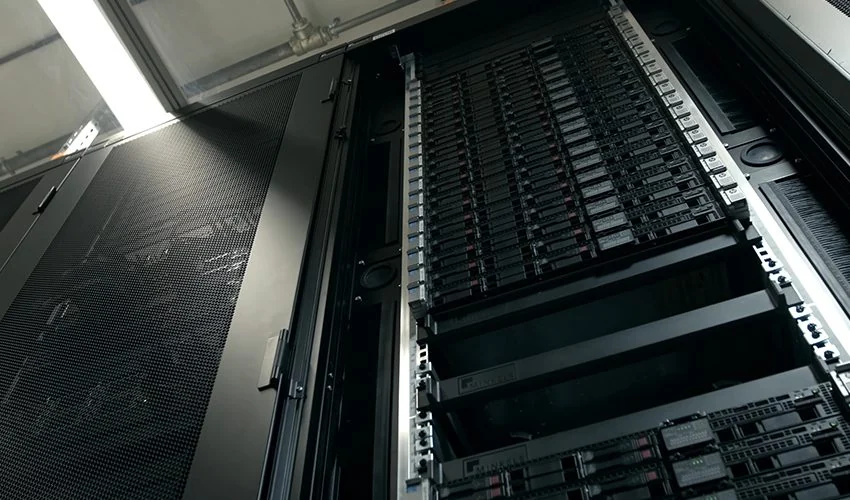
With the on-premise model, the company keeps its infrastructure under its own control. This may be a physical server in a server room, NAS, local applications, own databases, a domain controller or a specialised system that must run in the operation.
- Control over the environment The company can define exactly where servers are located, who has access to them and how they are connected with the network, users and production or operational systems.
- One-time investment Hardware, licences and implementation are paid mainly at the beginning. Later, however, service, warranties, disk replacement, electricity, cooling and hardware renewal must be included.
- Dependence on local infrastructure If a server, storage, electricity or internet line fails, availability depends on how well redundancy, backup and recovery are designed.
What a cloud solution is
According to NIST, cloud computing is a model in which computing resources are available over a network, can be allocated quickly as needed and their consumption can be measured. For a company, this may mean Microsoft 365, Azure virtual servers, cloud backup, e-mail, SharePoint, databases, applications or security services.
Cloud is not a single service. With SaaS you use a ready-made application, for example Microsoft 365. With PaaS you handle the application without managing the operating system. With IaaS you rent computing power, storage and network elements, but the operating system, applications and part of security remain your responsibility.
- Fast scaling Performance, storage or user licences can be added gradually. This helps especially companies that are growing, changing branches or need remote collaboration.
- Lower initial investment Instead of a large hardware purchase, the company pays continuously for the services it uses. This requires ongoing consumption tracking so the cloud does not become an unclear cost.
- Shared responsibility The provider handles part of the infrastructure, but the company remains responsible for its data, identities, access, devices, configurations and user rules.
Security: cloud is not magic and a local server is not a vault
Security is where myths appear most often. Locally stored data can be well protected, but only if the company has updates, physical access, firewall, network segmentation, backups, monitoring and recovery under control. A server in a storage room without tested backups is not a security advantage.
Cloud can bring strong security options: multi-factor authentication, conditional access, encryption, logging, geographically separated storage or modern detection tools. But if accounts do not use MFA, SharePoint permissions are wrong or device management is unclear, the risk remains.
Costs: compare the whole life cycle
An on-premise solution often looks attractive if you compare only the monthly cloud fee with the price of a server that has already been purchased. A fair comparison, however, must include the whole life cycle of the solution.
- For on-premise, include hardware, licences, warranties, service, backup, electricity, cooling, space, component replacement, monitoring and the time of IT people.
- For cloud, include monthly licences, storage and performance consumption, backups, data transfers, identity management, security services and regular cost optimisation.
- For both models, track the cost of an outage, recovery after an incident, data loss, unavailable e-mail or the time of users waiting for a solution.
When on-premise makes sense
Local solutions still have their place. Some companies have applications linked to operations, specific devices, production lines, local databases or requirements where their own infrastructure is practical.
- you need very low latency in local operations,
- you have specialised software that is not suitable for the cloud,
- you work with a large volume of local data and slow or expensive connectivity,
- you need a precisely controlled environment with your own rules and audit,
- you have existing infrastructure in good condition and a clear renewal plan.
When cloud makes sense
Cloud is often useful where a company needs flexibility, remote collaboration, fast service deployment, simpler backup or better availability without building its own data centre.
- you use Microsoft 365, e-mail, Teams, SharePoint or OneDrive,
- you need secure access from several branches or from home office,
- you do not want to renew an old server and are looking for a more sustainable model,
- you need to scale performance or capacity according to season and projects,
- you want to manage identities, MFA, access and backups better.
A hybrid model is often the most practical
For many small and medium-sized companies, the answer is not only cloud or only on-premise. A practical model may look like this: e-mail, documents, identities and backups run in the cloud, while a production system, camera recording or a specific application remain local.
What matters is that hybrid is not a random mix of old servers and new licences. It must have clear rules: who manages accounts, where backups are stored, what is monitored, how an internet outage is handled and what is restored first.
How to choose without unnecessary risk
Before making a decision, we recommend a short technical and operational analysis. Not to create a long document for a drawer, but to avoid paying for a solution that does not solve the real problem.
- Map applications and data Which systems are critical, where is data stored, who accesses it and what happens during an outage?
- Count users and locations Five people in one office need a different solution than a company with branches, warehouse, production and remote work.
- Verify connectivity and recovery Cloud needs stable internet. On-premise needs a stable server, power, backups and a recovery plan. Both models need testing.
- Set a security minimum MFA, updates, separated backups, device protection, documented access and monitoring should be part of the decision, not an add-on after an incident.
How Yenwa can help
If you are considering cloud, your own server or a hybrid model, we can help you review the current state without unnecessary pressure toward one specific technology. We look at infrastructure, licences, users, backups, security and costs.
The output can be a simple plan: what to keep local, what to move to the cloud, what to secure first and how to set up management so IT can be maintained further. The goal is not to have cloud at any cost. The goal is stable, secure and understandable business IT.